

Title IX Training Resources
What is Title IX?
Title IX is a federal civil rights law that prohibits sex discrimination in education. All members of the university community and visitors have the right to be free from all forms of gender and sex-based discrimination, including sexual violence, sexual harassment, domestic violence, dating violence and stalking.
How To Access Title IX Training
If you are a UAF student, UAF faculty member, or a UAF employee/volunteer who has taken or taught a UAF Canvas course:
-
- Visit the “UA Safe Title IX Training” Canvas Catalog page (or visit the UAF Alaska Community Learning Library and select “UA Safe Title IX Training”)
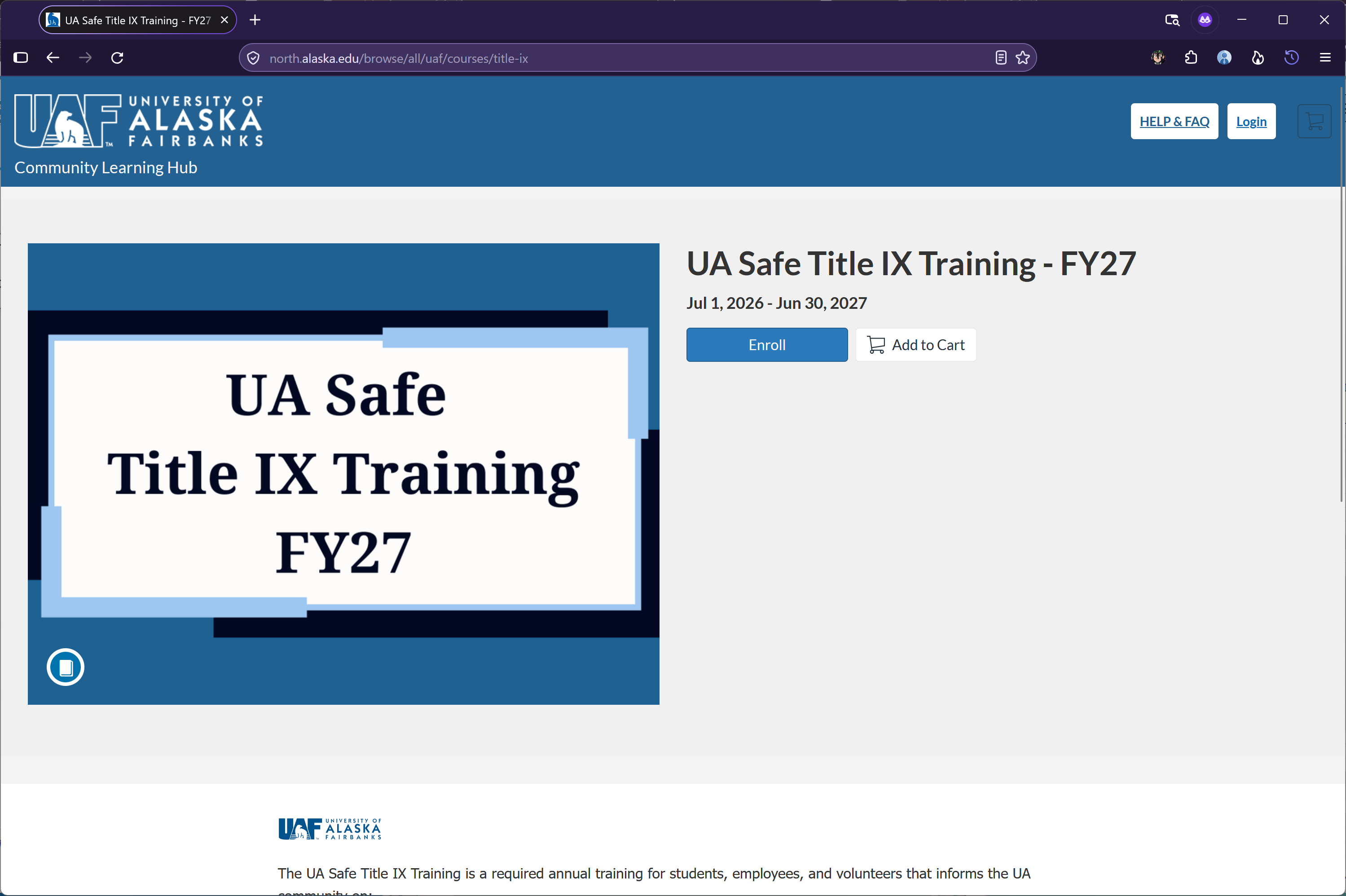
- Select “Login” in the upper right hand corner.
- Select “UA Log In” and log in using your UA credentials.
- If not automatically returned, navigated back to the Title IX Training catalog page.
- Select “Enroll Now.”
- Select “Go To Course” to open Canvas and start the training.
- If you do not see the “Go To Course” button and the page says you’re already enrolled, select your name in the top right corner and select “My Courses” to navigate to your Canvas Dashboard. The UA Safe Title IX Training will be in your courses.
- Visit the “UA Safe Title IX Training” Canvas Catalog page (or visit the UAF Alaska Community Learning Library and select “UA Safe Title IX Training”)
If you are a UAF employee or volunteer who has not taken or taught a UAF Canvas course, a non-UAF user, or user with another role (such as an affiliate):
-
- Visit the “UA Safe Title IX Training” Canvas Catalog page (or visit the UAF Alaska Community Learning Library and select “UA Safe Title IX Training”)
- If you have an existing guest account in Canvas, select "Login". Otherwise, create a guest account.
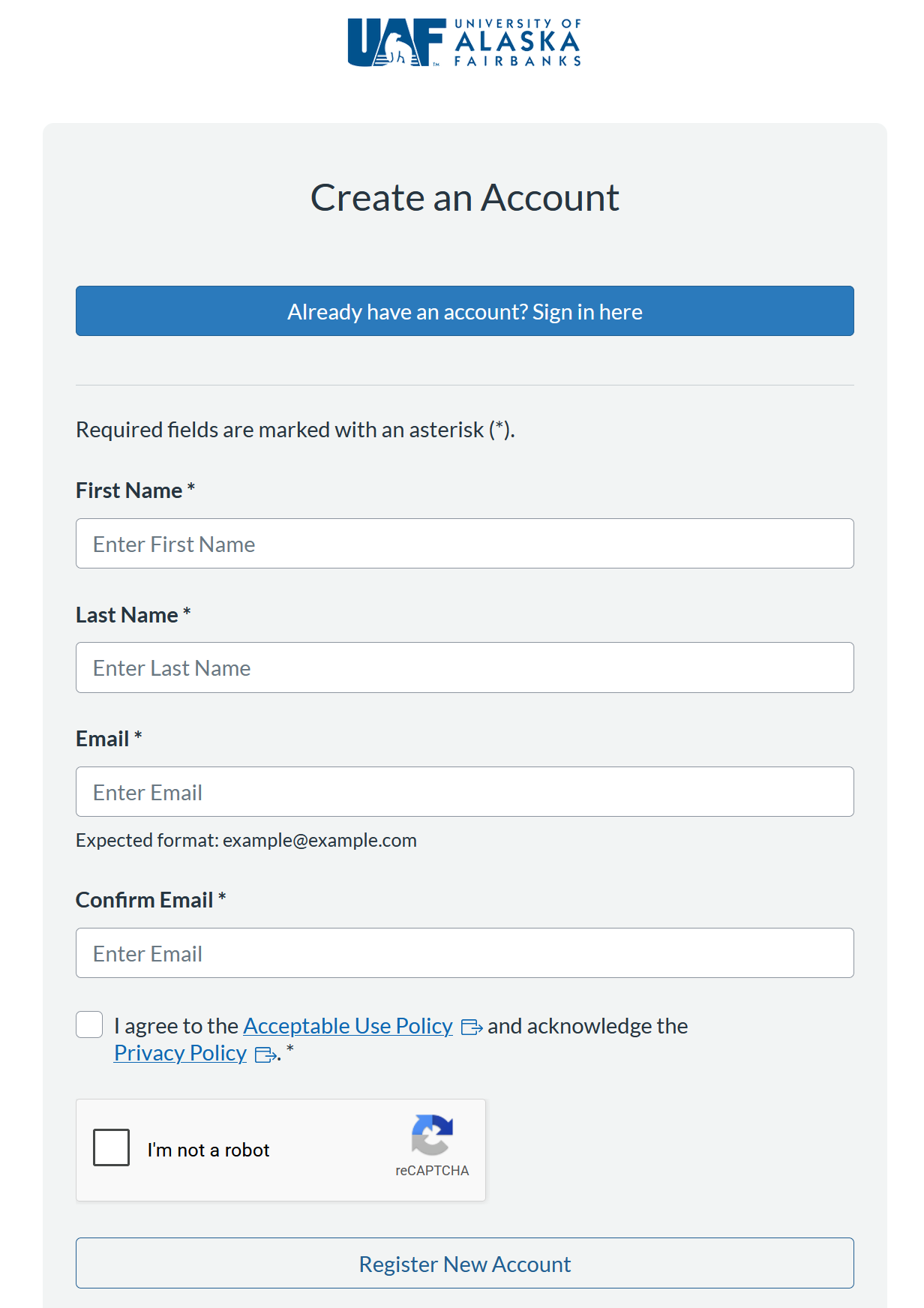
- On the “UA Safe Title IX Training” Canvas Catalog page, select “Login” in the upper right corner.
- Select “Guest Login” and log in using your guest account email and password.
- Navigate to the Title IX Training catalog page.
- Select “Enroll Now.”
- Select “Checkout for Myself” on the Canvas Catalog “Cart” page.
- Select “Enroll” on the Canvas Catalog “Checkout” page.
- Select “Go To Course” to open Canvas and start the training.
- If you do not see the “Go To Course” button and the page says you’re already enrolled, Select on your name in the top right corner and select “My Courses” to navigate to your Canvas Dashboard. The UA Safe Title IX Training will be in your courses.
- On the “UA Safe Title IX Training” Canvas Catalog page, select “Enroll” and complete the signup process.
- Please use your full name when creating an account. The UAF unit department or program you’re volunteering/working with will need to match the name and email address associated with this account to the information you’ve provided.
- Select “Checkout for Myself” on the Canvas Catalog “Cart” page.
- Select “Enroll” on the Canvas Catalog “Checkout” page.
- Navigate to your email and open the message from Canvas Catalog .
- Follow the email instructions to create a password and register your guest account.
- Select “Begin Course” on the Canvas Catalog “Student Dashboard” page and start the training.
- If you need to navigate back to the training at a later date, you can login to Canvas with your guest account at www.uaf.edu/canvas.
If you experience issues signing up for the training or creating a Canvas account, please contact the UAF Office of Rights, Compliance and Accountability (uaf-tix@alaska.edu or 907-474-7300) or Nanook Technology Services.