
Bulk Uploading Email Addresses to a Listserv List
1. Go to https://lists.uaf.edu:8025/mailman/admin/(listname, including -l)
ex. https://lists.uaf.edu:8025/mailman/admin/test-l
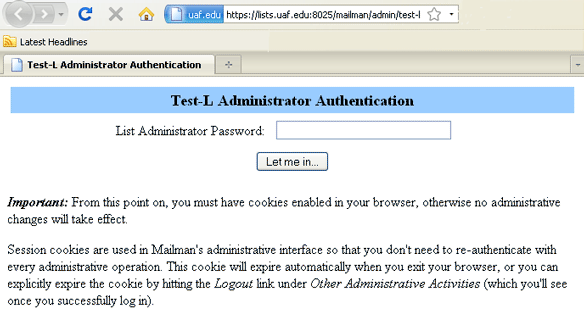
2. Log In.
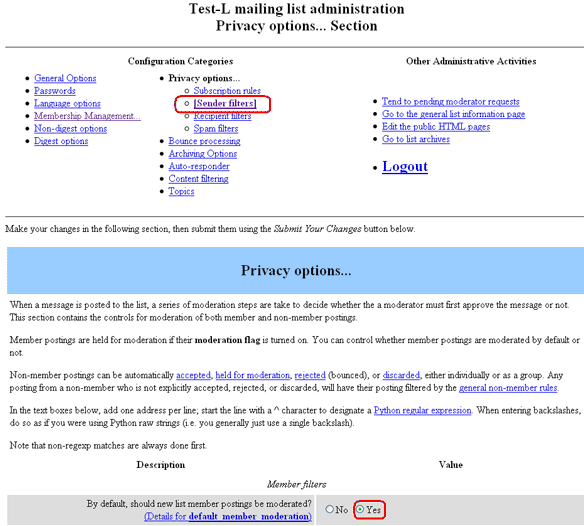
3. If the list should have the members moderated (i.e. if they reply to or try to post
an email should the email go to the list automatically? If the answer is no, this
is a moderated list), click on Privacy Options and then a sub-list will be displayed.
Click on Sender Filters. Next to "By default, should new list member postings be
moderated" the "yes" radio button should be chosen.
4. If needed, unsubscribe all members of the list by either uploading the previous mass
subscription list or by going into Membership List and clicking the "unsub" check
boxes by each subscribers membership row.
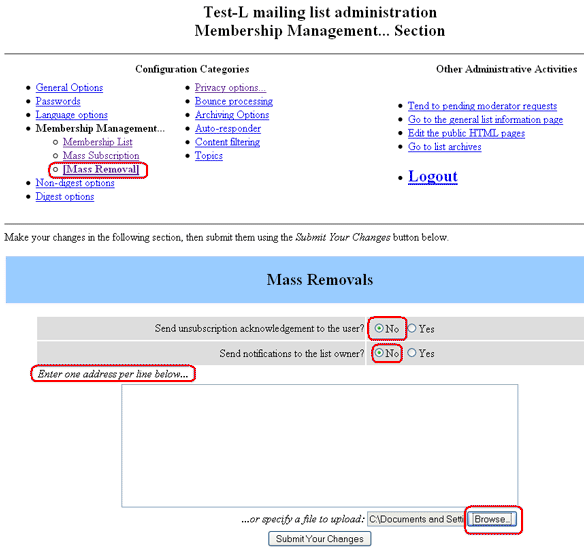
To mass unsubscribe, click Membership Management and then click Mass Removal from
the resulting menu. If you do not want the subscribers notified of their unsubscription,
make sure the radio box next to "Send unsubscription acknowledgment to the user" is
"no". From here you can either put email addresses to unsubscribe in the text box
(one line per email address) or browse and upload a file of email addresses (one line
per email address.) Please note the email addresses must be exactly the same as the
subscribed email addresses. After doing a Mass Remove you may want to go to Membership
Management - Membership List and confirm all emails were successfully unsubscribed.
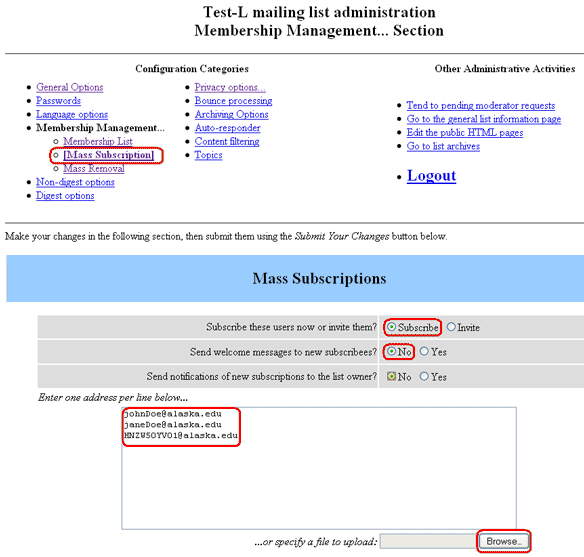
5. To mass subscribe, click Membership Management and then click Mass Subscription from the resulting menu. Choose to subscribe users if you want the list of email addresses to become subscribed to the list, or choose Invite if you want them to get an email asking them to Confirm their subscription. If you do not want the subscribers sent a welcome to this list email, make sure the radio box next to "Send welcome messages to new subscribers" is "no". From here you can either put email addresses to unsubscribe in the text box (one line per email address) or browse and upload a file of email addresses (one line per email address.)