Adding and Managing Devices
Have a new phone? Want to add a security key? You can easily add new devices in ELMO or using a Duo login Prompt.
Method 1: Using ELMO
- Log into ELMO
Go to https://elmo.alaska.edu and sign in with your university credentials. - Navigate to Security Settings
Locate the Security Settings or Multi-Factor Authentication (MFA) section in your profile. - Select the Test and Configure MFA button
This will open the MFA configuration options for your account. - Add or Activate Your Device
- If you already have a phone on your account, you can generate an activation text to be sent to your phone.
- Otherwise, you can add your smartphone from this menu by entering your phone number and selecting Add smartphone, then selecting the activation link in the text message.
- Tablets and mobile devices without phone numbers can also be added from this menu by selecting Add tablet. An activation link and QR code will be generated; devices with cameras can scan the QR code, while devices without will need to use the link to activate.
- Apple Watches and Android Wear OS smartwatches can be used as authenticators, but require a connected smartphone.
- Download and Activate Duo Mobile
- Download the Duo Mobile app if it’s not already installed:
Setup complete!
You can test your Duo Mobile setup by approving a login request.
Method 2: Using a DUO Login Prompt
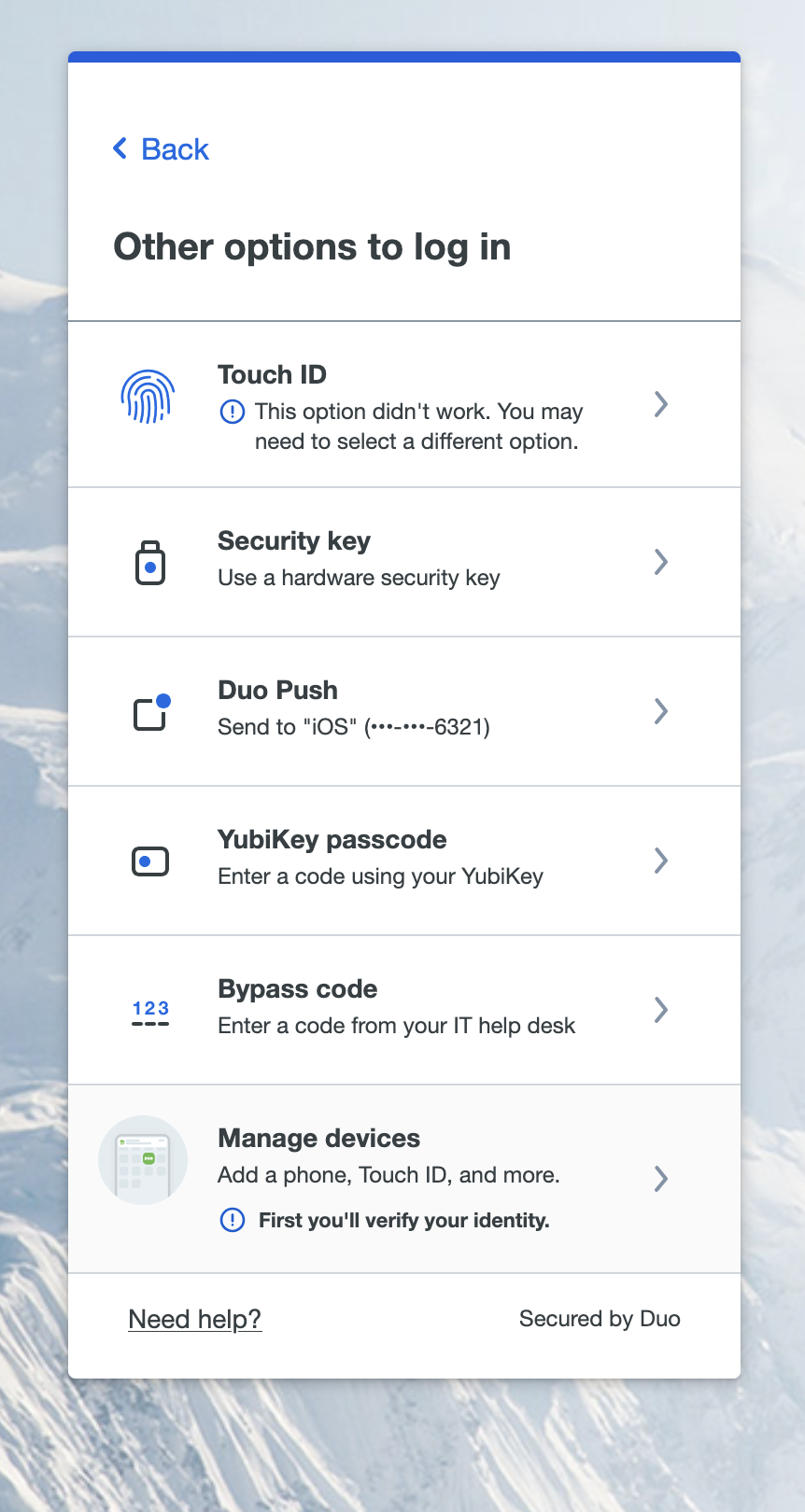
- Log into an MFA-enabled service such as ELMO, UA Mail, Canvas, or UAOnline to generate a Duo Prompt. Don't finish the authentication!
-
Select "Other Options," then "Manage Devices".
-
Use an existing method to authenticate.
-
If you don't have access to the available options, you can use ELMO to generate a temporary bypass code.
-
-
After authenticating, you will be taken to the device management portal where you can manage your devices and add new ones.